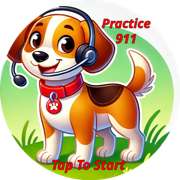
 Practice 911
How Practice 911 works
Practice 911 is a phone line just for practice. It uses an AI practice dispatcher that talks the way a real 911 dispatcher would, but slower, kinder and made for kids.
1. Activate your kit
Inside the Smart Tap Tags 911 Sticker Kit is a welcome letter with a QR code. Scan it with the phone your children will practice on. You will create a parent account on smarttaptags.com, register that phone number and agree to the parent consent. You can also activate with your kit code.
2. Tap the Practice 911 sticker
Put the Practice 911 sticker (Murray, the pup with the headset) somewhere easy to reach. Your child taps it with the registered phone, and the phone opens the practice number. They press Call.
3. Practice a pretend emergency
The practice dispatcher picks a simple, kid-friendly scenario, such as a pan smoking in the kitchen, a grown-up who fell and will not wake up, or a friend having an allergic reaction. It asks the questions a real dispatcher asks:
- What is your emergency?
- What is the address where you are?
- Is anyone hurt? Are they breathing?
- Can you stay on the line with me?
It gives gentle hints when a child gets stuck and praise when they get it right.
4. Earn a 911 Ready badge
After the call, give your child one of the five 911 Ready badges from the kit, and print their certificate from your account.

Safety built in
- The practice dispatcher always says it is Practice 911, not real 911.
- If a child describes a real emergency, the practice stops and the child is told to hang up and call 911. The parent is notified and no credit is used.
- Only phone numbers a parent registered can reach the practice dispatcher.
- Practice calls are not recorded and no transcripts are kept.
- The Practice 911 sticker looks nothing like the red 911 sticker, so children can tell them apart.